
Ellipse Gradient for Header
Dynamics 365 Supply Chain Management logo

Dynamics 365 Supply Chain Management Integration Guide

Integrate Dynamics 365 Supply Chain Management with enterprise systems through OData APIs, custom services, business events, and asynchronous data-management exchanges.

Dynamics 365 Supply Chain Management integration options at a glance

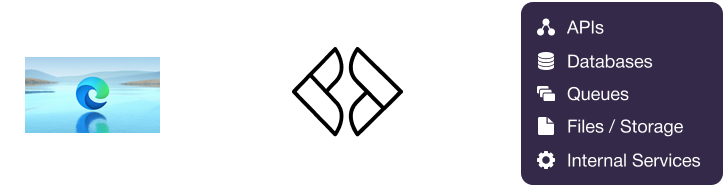
Dynamics 365 Supply Chain Management exposes public data entities through OData v4 REST APIs for synchronous queries and permitted create, update, and delete operations. Custom services support business operations that require application logic, while business events provide selected outbound notifications through configured HTTP or messaging endpoints. The Data Management Framework supports asynchronous package imports, exports, and recurring integrations for high-volume exchanges. Microsoft Entra ID provides OAuth 2.0 authentication, with Finance and Operations security roles controlling authorization. Martini can orchestrate these mechanisms, transform data, manage legal-entity context, and apply retry and reconciliation logic.

Integration pointSupported by Dynamics 365 Supply Chain Management?Common use casesHow Martini supports it
OData REST APIsYesQuery public data entities and perform permitted create, update, delete, and selected action operations for products, orders, inventory, vendors, and related Supply Chain Management data.Martini can consume the OData v4 endpoint, manage OAuth 2.0 configuration, follow pagination, set legal-entity context, and map responses into downstream models.
Custom servicesYesExecute organization-specific or multi-step business operations that are not adequately represented by standard public data entities.Martini can call documented HTTP-based custom services, transform request and response payloads, and centralize validation and error handling in workflows.
SOAP APIsLimitedSupport selected Finance and Operations service scenarios, particularly service-based integrations and some custom-service designs.Martini can consume documented SOAP services when the target environment exposes them, using configured service authentication, XML mapping, and service-specific fault handling.
Business events and outbound callbacksLimitedNotify external systems about selected application business conditions through configured HTTP or messaging endpoints.Martini can receive supported event notifications, deduplicate them, retrieve complete object details through OData or services, and route the result to downstream workflows.
Bulk and asynchronous data managementYesImport and export data packages, execute recurring integrations, perform initial loads, and move large master-data or transaction volumes asynchronously.Martini can initiate or coordinate package-based exchanges, process files and execution results, and schedule reconciliation or follow-up workflows.
File and attachment handlingLimitedExchange file-based data packages and, where configured, process document attachments, product images, or external storage references.Martini can process files and package payloads, but attachment handling must be designed for the specific document type, storage provider, or entity.
Analytics and data exportLimitedExport Supply Chain Management data to Azure Data Lake and related Microsoft analytics services for reporting and historical analysis.Martini can orchestrate supported exports or consume resulting files and service outputs without relying on direct operational database access.
Microsoft Entra ID OAuth 2.0YesAuthenticate background services and delegated applications accessing Finance and Operations endpoints over HTTPS.Martini can store OAuth configuration and secrets securely, obtain access tokens, and apply environment-specific endpoint and authorization settings.

How Dynamics 365 Supply Chain Management exposes data and business events

Dynamics 365 OData REST APIs

Supply Chain Management exposes public data entities through an OData v4 endpoint commonly available under the environment URL followed by /data. Supported entities can be queried and, where permitted, created, updated, or deleted with filtering, selection, expansion, legal-entity context, and paging.

Martini implementation pattern

Martini implementation pattern: a workflow obtains a Microsoft Entra ID access token, calls the OData endpoint with bounded queries, follows continuation links, maps the entity response, and writes the result to the target system. For writes, the workflow validates permissions, business keys, and idempotency before submitting the operation.

Implementation sequence

Obtain an OAuth 2.0 access token
Set the Dynamics 365 environment and legal-entity context
Call the selected OData entity with bounded filters and fields
Follow continuation links until the result is complete
Map and validate the entity data
Write the mapped result to the target system and record the synchronization status

Dynamics 365 Custom Services and SOAP

Finance and Operations custom services can expose organization-specific operations, multi-step commands, and validations implemented inside the application. SOAP is documented for selected service scenarios and is not the primary mechanism for standard public data-entity access.

Martini implementation pattern

Martini implementation pattern: a workflow selects a documented custom service when a standard entity does not express the required business operation. Martini builds the request, handles HTTP or SOAP response formats, applies service-specific fault handling, and records the operation result for retry or review.

Implementation sequence

Select the documented custom service operation
Load the service endpoint and secure authentication configuration
Map the canonical request into the service contract
Invoke the HTTP or SOAP operation
Classify business faults separately from transient failures
Persist the operation result and correlation details

Dynamics 365 Business Events

Business events notify configured endpoints about selected business conditions. Coverage depends on the event catalog, module, activation, filtering, endpoint configuration, and event payload; they are not a universal notification stream for every data change.

Martini implementation pattern

Martini implementation pattern: Martini receives a supported HTTP or messaging notification, validates its event identity, checks an idempotency record, and retrieves authoritative object details through OData or a custom service when the event payload is incomplete. It then applies routing and downstream business rules.

Implementation sequence

Receive the configured business-event notification
Validate the event type, source, and required identifiers
Check the event or business key for duplicate processing
Retrieve authoritative object details when required
Apply routing and downstream business rules
Acknowledge or record the outcome and send failures to retry handling

Data Management Framework and recurring integrations

The Data Management Framework supports package-based imports and exports, asynchronous execution, staging, data-entity transformation, recurring integrations, and execution monitoring for larger data volumes.

Martini implementation pattern

Martini implementation pattern: a scheduled or event-driven workflow prepares or receives a package, exchanges the file through the supported integration arrangement, tracks the asynchronous execution identifier, and performs status polling, error extraction, and reconciliation after completion.

Implementation sequence

Select the data project and package scope
Prepare or receive the file-based package
Submit or initiate the asynchronous exchange
Store the execution identifier and source watermark
Poll or receive completion status
Process errors, reconcile counts, and publish the result

Common Dynamics 365 Supply Chain Management integration patterns

Pattern 1: Synchronize inventory availability

When to use this pattern

Use this pattern when commerce, planning, or customer-facing systems need current availability by product, site, warehouse, location, batch, serial number, or inventory dimension. Scheduled OData queries are suitable for moderate volumes, while exports or packages are preferable for larger transfers.

Integration direction
Dynamics 365 Supply Chain Management
Martini
Shopify
Example Mapping
Dynamics 365 Supply Chain Management FieldCanonical FieldTarget Field
ItemNumberproductSkuvariant.sku
AvailablePhysicalavailableQuantityinventory.quantity
WarehouseIdwarehouseCodelocation.code
DataAreaIdlegalEntityinventory.company
Martini implementation pattern

A scheduled Martini workflow obtains an access token, queries filtered on-hand inventory with pagination, normalizes inventory dimensions, and writes only approved changes to the target. It records a watermark or reconciliation result, applies bounded retries for throttling, and prevents duplicate updates with a product-location key.

Martini capabilities used
  • workflows
  • scheduling
  • API consumption
  • data mapping
  • business rules
  • error handling

Pattern 2: Submit sales orders from commerce

When to use this pattern

Use this pattern when an external commerce or ordering application submits customer demand to Supply Chain Management and needs a controlled response plus later fulfillment updates.

Integration direction
Shopify
Martini
Dynamics 365 Supply Chain Management
Example Mapping
Dynamics 365 Supply Chain Management FieldCanonical FieldTarget Field
order.idexternalOrderReferenceSalesOrder.ExternalReference
line_items[].skuproductNumberSalesOrderLine.ItemNumber
line_items[].quantityorderedQuantitySalesOrderLine.SalesQty
shipping_addressdeliveryAddressSalesOrder.DeliveryAddress
Martini implementation pattern

Martini exposes an API that validates the incoming order, resolves legal entity and product references, and maps the payload to supported sales-order entities or a custom service. The workflow uses the external order reference for idempotency, separates business validation errors from transport failures, and can later publish fulfillment status through a complementary workflow.

Martini capabilities used
  • API exposure
  • workflows
  • data mapping
  • validation
  • business rules
  • error handling

Pattern 3: Process selected business events

When to use this pattern

Use this pattern when a supported Supply Chain Management business condition should initiate downstream processing without polling continuously for every change.

Integration direction
Dynamics 365 Supply Chain Management
Martini
ServiceNow
Example Mapping
Dynamics 365 Supply Chain Management FieldCanonical FieldTarget Field
BusinessEventIdeventIdcorrelation.eventId
EventTypeeventTypeincident.category
LegalEntitylegalEntityincident.company
ReferenceIdsourceReferenceincident.externalReference
Martini implementation pattern

Martini receives the configured event notification, validates the event catalog and source, checks an idempotency store, and retrieves complete order, warehouse, or inventory details through OData when needed. It creates or updates the downstream incident, records correlation identifiers, and retries only transient delivery or API failures.

Martini capabilities used
  • webhook handling
  • event-driven workflows
  • API consumption
  • deduplication
  • business rules
  • retry handling

Pattern 4: Move high-volume master data with packages

When to use this pattern

Use this pattern for initial loads, large product or vendor transfers, historical data, recurring synchronization, or periodic reconciliation where thousands of individual OData calls would be inefficient.

Integration direction
Dynamics 365 Supply Chain Management
Martini
Azure Data Lake Storage
Example Mapping
Dynamics 365 Supply Chain Management FieldCanonical FieldTarget Field
EntityNamesourceEntitydataset.entity
DataAreaIdlegalEntitydataset.company
PackageFiledataPackagelanding.file
ExecutionIdjobReferenceprocessing.executionId
Martini implementation pattern

A Martini workflow schedules or receives a package exchange, validates file structure and configuration, tracks the asynchronous execution identifier, and processes completion results. It reconciles counts and error files, stores checkpoints, and routes failed packages for operational review rather than repeatedly resubmitting an uncertain job.

Martini capabilities used
  • scheduling
  • workflow orchestration
  • file processing
  • mapping
  • reconciliation
  • monitoring

Applications commonly integrated with Dynamics 365 Supply Chain Management

Dynamics 365 Supply Chain Management can be integrated with commerce, customer, service-management, ERP, analytics, and messaging products according to the organization’s operating model. Martini can coordinate these flows without requiring a dedicated vendor connector, using the Microsoft product’s documented APIs, events, exports, and authentication mechanisms.

Application Scenario Direction Martini Pattern
Salesforce Synchronize customers, products, order status, shipment status, and inventory availability between customer-facing processes and supply-chain operations. Salesforce → Martini → Dynamics 365 Supply Chain Management Expose or consume APIs for approved customer and order flows, map Salesforce objects to Dynamics 365 data entities, and route fulfillment updates back through a controlled Martini workflow.
Shopify Exchange digital-commerce orders, product availability, inventory updates, and fulfillment status. Shopify → Martini → Dynamics 365 Supply Chain Management Receive order requests through an API, validate and transform them into supported sales-order operations, then schedule inventory and fulfillment synchronization with pagination and retry handling.
ServiceNow Coordinate warehouse issues, supply-chain incidents, operational requests, and exception management with enterprise service workflows. Dynamics 365 Supply Chain Management → Martini → ServiceNow Use selected business events or scheduled status queries to create or update ServiceNow cases, apply routing rules, and retain source identifiers for duplicate protection.
Jira Synchronize supply-chain exceptions, implementation work, product issues, and remediation tasks. Dynamics 365 Supply Chain Management → Martini → Jira Trigger a Martini workflow from a business event or reconciliation query, map exception details into Jira issue fields, and process approved status updates back through an API workflow.
NetSuite Exchange products, inventory, purchase orders, sales orders, and fulfillment data in organizations operating both platforms. Dynamics 365 Supply Chain Management → Martini → NetSuite Use OData for transactional exchanges and Data Management Framework packages for larger transfers, with canonical mappings and per-object ownership rules.
Power BI Support reporting on inventory, procurement, warehouse, production, and fulfillment data. Dynamics 365 Supply Chain Management → Martini → Power BI Use supported export or data-movement mechanisms for analytical datasets, then apply Martini transformations or scheduling where an intermediate delivery or control workflow is required.
Azure Service Bus Buffer and deliver business events or asynchronous integration messages between Supply Chain Management and downstream consumers. Dynamics 365 Supply Chain Management → Azure Service Bus → Martini Consume supported event deliveries or messages through a Martini-triggered workflow, deduplicate by event or business key, retrieve authoritative details, and route the result to downstream systems.

How to build a Dynamics 365 Supply Chain Management integration in Martini

Objective

Establish access to the target Finance and Operations environment using Microsoft Entra ID OAuth 2.0 and the appropriate Finance and Operations application identity, user, roles, and legal-entity permissions.

Instructions in Martini

  • Register the application in Microsoft Entra ID.
  • Associate the application with an appropriately authorized Finance and Operations identity.
  • Store client credentials, tokens, and endpoint configuration in secure environment settings.
  • Confirm HTTPS access and the correct token audience for the environment.

Objective

Select a trigger that matches the business requirement: an API request, scheduled workflow, supported business event, recurring integration, or package exchange.

Instructions in Martini

  • Use an API-triggered workflow for inbound order or business-operation requests.
  • Use a scheduler for reconciliation and periodic OData synchronization.
  • Use a webhook or messaging trigger only for confirmed business-event coverage.
  • Use package-based processing for high-volume or asynchronous exchanges.

Objective

Retrieve or receive the required Supply Chain Management data while controlling query size, legal-entity context, pagination, and asynchronous execution state.

Instructions in Martini

  • Use OData filters, field selection, and continuation links for entity queries.
  • Retrieve complete object details after a business-event notification when necessary.
  • Track data-management execution identifiers and completion status.
  • Avoid direct production-database access for operational integration.

Objective

Coordinate calls, transformations, routing, and dependent operations in a reusable Martini workflow with explicit transaction and status boundaries.

Instructions in Martini

  • Separate request acceptance from asynchronous business completion.
  • Use conditional routing for entity, legal-entity, event, or status differences.
  • Call custom services when application logic cannot be represented by a standard data entity.
  • Persist correlation identifiers and source references throughout the workflow.

Objective

Transform Dynamics 365 entity, event, service, or package structures into a canonical model and validate required references, quantities, statuses, and identifiers.

Instructions in Martini

  • Map headers, lines, dimensions, and legal-entity values explicitly.
  • Validate required product, customer, vendor, warehouse, and order references.
  • Use canonical fields to avoid point-to-point mapping duplication.
  • Separate business-rule failures from transport and authentication failures.

Objective

Write the validated result to the target application, data store, file exchange, or analytics destination while preserving source identifiers and idempotency keys.

Instructions in Martini

  • Use stable external references for create or update operations where supported.
  • Apply read-before-write or idempotency checks for retried messages.
  • Use package or file delivery for high-volume targets when appropriate.
  • Record the target response and business completion status.

Common Dynamics 365 Supply Chain Management data objects used in integrations

ObjectTypical UseCommon target systemsMartini handling
Products and released productsSynchronize product definitions, variants, and legal-entity-specific releases.Shopify, Salesforce, NetSuite, Power BIMartini retrieves or receives the supported entity representation, maps product and legal-entity fields, validates required identifiers, and processes pages or packages according to volume.
Sales orders and sales order linesSubmit customer demand, synchronize quantities and prices, and publish order status.Shopify, Salesforce, NetSuiteMartini validates order payloads, applies legal-entity and business rules, calls supported OData operations or custom services, and protects writes with stable external references.
Purchase orders and purchase order linesExchange procurement orders, supplier commitments, quantities, prices, and receipts.NetSuite, supplier platforms, Power BIMartini maps header and line relationships, selects transactional or package-based processing, and separates validation failures from transient retries.
On-hand inventorySynchronize availability by product, site, warehouse, location, batch, serial number, and inventory dimension.Shopify, Salesforce, NetSuite, Power BIMartini uses filtered and paginated OData queries or exports, normalizes inventory dimensions, and records watermarks or reconciliation status.
Warehouses and locationsShare warehouse structures and storage locations used in inventory and warehouse management.NetSuite, Power BI, warehouse applicationsMartini maps legal-entity and warehouse identifiers, validates reference data before dependent transactions, and schedules controlled synchronization.
Inventory journals and inventory transactionsExchange stock movements, adjustments, counting activity, and related inventory postings.Power BI, NetSuite, service-management applicationsMartini treats transaction identifiers and posting status as idempotency keys where appropriate, applies business routing, and retains execution and error metadata.

Authentication and security considerations

Microsoft Entra ID authentication

Dynamics 365 Supply Chain Management uses Microsoft Entra ID OAuth 2.0 for application authentication. Martini can obtain and use access tokens for the relevant Finance and Operations environment through secure environment configuration.

Finance and Operations authorization

Authentication does not by itself grant access. Application users, service identities, security roles, duties, privileges, legal entities, and data-area restrictions determine which entities and operations are available.

Secure configuration

  • Store client credentials and other secrets outside workflow mappings and payload templates.
  • Use HTTPS for OData, custom-service, event, and data-management endpoints.
  • Limit application permissions and legal-entity access to the integration’s requirements.
  • Protect business-event endpoints and validate source, event type, and identifiers.

Operational considerations for Dynamics 365 Supply Chain Management integrations

Throttling and pagination

OData queries should be bounded with filters and field selection, and workflows should follow continuation links. Microsoft service protection can require reduced concurrency and exponential backoff.

Idempotency and asynchronous status

Business events and asynchronous packages should be treated as repeatable. Store event, business, and execution identifiers, and distinguish request acceptance from completed business processing.

Environment variation

Entities, fields, actions, services, and event coverage vary by release, modules, legal-entity configuration, extensions, and customizations. Validate contracts in the target environment before production deployment.

Testing and observability

  • Test representative legal entities, dimensions, validation failures, throttling, and partial responses.
  • Capture HTTP responses, correlation identifiers, event identifiers, execution identifiers, object keys, retry counts, and final disposition.
  • Use package-based or recurring integrations for high-volume loads and reconciliation.
  • Define attachment and binary-content handling for the exact document type and storage configuration.

Why use Martini instead of scripts or point-to-point integrations?

Reusable orchestration

Martini centralizes API calls, business-event handling, package coordination, routing, validation, and downstream writes in maintainable workflows rather than scattering logic across scripts.

Controlled transformation

Mappings and reusable integration assets provide a consistent way to transform legal-entity-aware Supply Chain Management data into commerce, ERP, service-management, analytics, or messaging models.

Operational reliability

Martini provides a place to implement bounded retries, duplicate protection, reconciliation, error routing, monitoring, and secure environment configuration across integration flows.

API-led integration

Martini can consume Microsoft APIs and expose controlled APIs for upstream applications, allowing business operations and data movement to be governed without requiring point-to-point implementations.

Frequently asked questions

How can Dynamics 365 Supply Chain Management be integrated with enterprise systems?

The primary mechanisms are OData v4 APIs for public data entities, custom services for application-specific business operations, business events for selected outbound notifications, and the Data Management Framework for asynchronous package imports, exports, and recurring integrations. Microsoft Entra ID OAuth 2.0 secures application access.

Can Martini integrate with Dynamics 365 Supply Chain Management?

Yes. Martini can consume Supply Chain Management OData APIs, call documented custom services, receive configured business-event notifications, coordinate data-management exchanges, map data, and expose APIs for upstream systems.

Do I need a connector to integrate Dynamics 365 Supply Chain Management with Martini?

No dedicated Dynamics 365 Supply Chain Management connector is required. Martini can use the product’s confirmed native mechanisms, including OData REST APIs, custom services, selected business-event endpoints, package-based integrations, files, and Microsoft Entra ID authentication.

Is there any extra Lonti cost to integrate Dynamics 365 Supply Chain Management with Martini?

Lonti does not charge an additional per-connector or per-vendor fee to integrate Dynamics 365 Supply Chain Management. The integration is subject to the provisioned capacity of the Martini environment. Separate costs may apply from Microsoft, infrastructure providers, or other third-party systems based on subscriptions, usage, and deployment model.

Which Dynamics 365 Supply Chain Management integration method should be used?

Use OData for supported public data entities and ordinary synchronization, custom services for multi-step or business-oriented operations, business events for supported outbound conditions, and Data Management Framework packages or recurring integrations for large or asynchronous exchanges. SOAP is relevant only to selected service scenarios.

Are webhooks or events available for Dynamics 365 Supply Chain Management?

Supply Chain Management supports business events delivered to configured HTTP or messaging endpoints for selected business conditions. This is not a universal webhook for every table or field change, so unsupported changes generally require documented change tracking, scheduled queries, recurring integrations, or exports.

How does Martini handle synchronization and data transformation?

Martini can run scheduled, event-driven, API-led, or asynchronous workflows. It maps products, orders, inventory dimensions, legal entities, and other data into canonical or target models, handles pagination and watermarks, and uses package-based exchanges when volume makes individual API calls unsuitable.

How are errors, retries, and duplicate events handled?

Martini can distinguish authentication, throttling, timeout, transport, and business-validation failures, applying bounded retries and exponential backoff to transient conditions. Workflows can store event identifiers, business keys, execution identifiers, and correlation data so repeated notifications or submissions do not create duplicate outcomes.