
Ellipse Gradient for Header
Salesforce Data Cloud logo

Salesforce Data Cloud Integration Guide

Salesforce Data Cloud integrates enterprise data through Salesforce-authenticated REST APIs, ingestion and query APIs, batch jobs, and selected event-driven activation capabilities.

Salesforce Data Cloud integration options at a glance

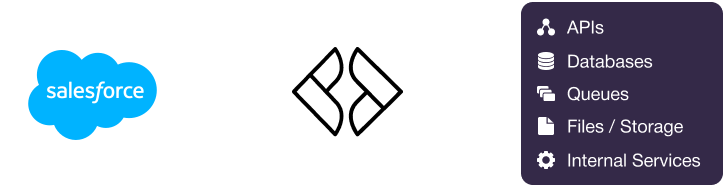
Salesforce Data Cloud provides REST APIs for ingestion, querying, metadata, data graphs, calculated insights, and activation-related operations. Batch and asynchronous ingestion support larger data volumes through job submission and status monitoring. Selected Data Cloud capabilities can send outbound notifications through data actions, platform events, Salesforce flows, or webhook-style targets, although coverage depends on the configured feature and event. File-oriented ingestion is available for supported workflows, while query APIs provide SQL-oriented access without requiring direct database connectivity. Martini can authenticate through Salesforce Connected Apps and OAuth 2.0, orchestrate workflows, transform payloads, monitor jobs, and expose APIs for downstream applications.

Integration pointSupported by Salesforce Data Cloud?Common use casesHow Martini supports it
REST APIsYesData Cloud REST APIs support ingestion, querying, metadata, data graphs, calculated insights, data actions, and related Salesforce operations. The correct host and resource depend on the org, tenant, API family, and version.Martini can consume REST APIs, manage request and response mappings, invoke reusable workflows, and expose APIs that abstract Data Cloud operations for downstream systems.
Bulk / async / batch APIsYesBatch-oriented ingestion supports larger volumes through job submission, upload or data references, status monitoring, and row- or job-level error handling.Martini can schedule ingestion, submit jobs, poll status, correlate results, retry transient failures, and route rejected rows for remediation.
Webhooks / outbound callbacksLimitedData actions, platform events, flows, and webhook-style targets support selected outbound activation and notification patterns. Coverage is feature- and event-specific rather than universal.Martini can expose an API endpoint or receive webhook-style notifications, validate payloads, apply routing rules, and invoke downstream workflows.
File / attachment APIsLimitedFile-oriented ingestion is available for supported source formats and ingestion processes. This should not be treated as a general-purpose attachment repository for every Data Cloud object.Martini can process supported files, validate and transform content, submit ingestion jobs, and handle asynchronous results.
Database / analytics accessLimitedData Cloud provides API-based query access, including SQL-oriented operations. Direct JDBC or arbitrary database access is not the normal integration model.Martini can call query APIs, process pagination and response limits, and deliver normalized results to applications, files, or databases.
SOAP APIsLimitedSOAP exists in the wider Salesforce platform through Partner and Enterprise APIs, but REST-based Data Cloud APIs are preferred for ingestion and query scenarios.Martini can consume SOAP services when a specific broader Salesforce operation requires them, while keeping Data Cloud-specific flows REST-based.
GraphQL APIsNot confirmedSalesforce provides broader GraphQL capabilities, but Data Cloud-specific GraphQL coverage for the primary ingestion, query, and activation scenarios was not confirmed.Martini can consume GraphQL APIs when the target Salesforce API version explicitly documents the required resources; this should be verified before design.
AuthenticationYesSalesforce Connected Apps and OAuth 2.0 support authorization-code, JWT bearer, client-credentials where enabled, refresh-token, scopes, and permission-based access.Martini can store secrets and certificates in protected environment configuration and use bearer tokens with workflows and API calls.

How Salesforce Data Cloud exposes data and business events

Salesforce Data Cloud REST APIs

Data Cloud exposes REST APIs for ingestion, query execution, metadata, data graphs, calculated insights, data actions, and related operations. API hosts, resources, and versions vary by Salesforce org and Data Cloud tenant.

Martini implementation pattern

Martini implementation pattern: Martini workflows authenticate with a Salesforce Connected App, call the required REST resource, transform responses into a canonical model, and expose reusable APIs or write results to downstream systems.

Implementation sequence

Authenticate with the configured Salesforce Connected App
Select the Data Cloud host, API family, version, and data space
Submit the ingestion, query, metadata, or graph request
Process pagination, response limits, and asynchronous status
Map the response to the target application model
Persist correlation identifiers and handle failures

Batch and asynchronous ingestion

Data Cloud supports high-volume ingestion through batch or asynchronous jobs. Integrations can submit work, upload or reference data, monitor status, and handle job-level or row-level failures.

Martini implementation pattern

Martini implementation pattern: a scheduled workflow reads changed source data, validates and transforms it to DLO or DMO fields, submits an ingestion job, polls status with bounded intervals, and routes rejected rows for review.

Implementation sequence

Read changed source Accounts, Contacts, Orders, or other data
Map source fields to the selected DLO or DMO schema
Submit the Data Cloud ingestion job
Poll or retrieve job status
Reconcile accepted and rejected rows
Retry transient failures without duplicating successful work

Data Cloud outbound actions

Data actions, platform events, Salesforce flows, and webhook-style targets can support selected outbound activation and notification patterns. Availability depends on the configured feature, event, target, edition, and release.

Martini implementation pattern

Martini implementation pattern: Martini exposes a secured endpoint or consumes the configured callback, validates the event, checks correlation and idempotency keys, applies business rules, and invokes downstream APIs.

Implementation sequence

Receive the selected Data Cloud notification
Authenticate and validate the event payload
Check event identity and previously processed deliveries
Apply eligibility, consent, and routing rules
Write to the downstream application
Record the outcome and retry transient failures

Data Cloud query APIs

Data Cloud provides API-based query access, including SQL-oriented operations where enabled. Query results may be limited or paginated and should not be treated as direct database access.

Martini implementation pattern

Martini implementation pattern: a Martini API accepts a customer or account identifier, executes a constrained query, combines results with other systems when needed, and returns a normalized response to the caller.

Implementation sequence

Receive and validate the lookup request
Construct a bounded Data Cloud query
Execute the query through the documented API
Retrieve subsequent pages or cursors
Combine and transform the result
Return the normalized response and log a correlation ID

Common Salesforce Data Cloud integration patterns

Pattern 1: Batch-ingest operational customer data

When to use this pattern

Use this pattern when an operational application does not provide reliable real-time events or when Data Cloud is refreshed on a defined schedule. It supports Accounts, Contacts, Orders, and other source data mapped into Data Lake Objects or Data Model Objects.

Integration direction
Operational application
Martini
Salesforce Data Cloud
Example Mapping
Salesforce Data Cloud FieldCanonical FieldTarget Field
sourceRecordIdsource.systemRecordIdsourceRecordId
emailcustomer.emailContactPointEmail.email
accountIdaccount.externalIdAccount.externalId
Martini implementation pattern

A scheduler starts the workflow, which reads changed data, validates stable source identifiers, transforms fields to the Data Cloud model, submits a batch ingestion job, and monitors status. Martini separates transient API failures from rejected rows, retries safely, and sends unresolved records to an operational error process.

Martini capabilities used
  • workflows
  • scheduling
  • API consumption
  • data mapping
  • business rules
  • error handling

Pattern 2: Query customer context for an application

When to use this pattern

Use this pattern when a portal, service application, or internal process needs a normalized view of a customer, account, or contact assembled from Data Cloud and optionally other systems.

Integration direction
ServiceNow
Martini
Salesforce Data Cloud
Example Mapping
Salesforce Data Cloud FieldCanonical FieldTarget Field
customerIdparty.idData Cloud identity key
calculatedInsightValuecustomer.metric.valueServiceNow customer context
segmentcustomer.segmentServiceNow priority or routing
Martini implementation pattern

Martini exposes an API that validates the caller and identifier, invokes the Data Cloud query or data graph API, optionally enriches the result with CRM or order data, and applies eligibility and privacy rules. Response-size limits, pagination, timeouts, and fallback behavior are handled centrally.

Martini capabilities used
  • API exposure
  • API consumption
  • data mapping
  • business rules
  • workflow orchestration
  • error handling

Pattern 3: Activate selected Data Cloud events

When to use this pattern

Use this pattern when a configured Data Action, platform event, flow, or webhook-style target signals a qualifying business condition. Event coverage must be verified for the specific object, condition, and Salesforce capability.

Integration direction
Salesforce Data Cloud
Martini
ServiceNow
Example Mapping
Salesforce Data Cloud FieldCanonical FieldTarget Field
dataActionIdevent.idcorrelationId
individualIdcustomer.idServiceNow customer reference
calculatedInsightValuequalification.scoretask.priority rule
Martini implementation pattern

Martini receives the selected notification through a secured endpoint, validates its signature or authentication context where configured, checks duplicate delivery, evaluates consent and routing rules, and creates or updates the downstream task. Retries and dead-letter handling prevent transient failures from becoming lost events.

Martini capabilities used
  • API exposure
  • webhook consumption
  • workflow orchestration
  • business rules
  • idempotency handling
  • error handling

Pattern 4: Export Data Cloud results to a warehouse

When to use this pattern

Use this pattern for reporting extracts, reconciliation, data science pipelines, or sharing selected Data Cloud attributes with systems that do not directly consume Salesforce APIs.

Integration direction
Salesforce Data Cloud
Martini
Snowflake
Example Mapping
Salesforce Data Cloud FieldCanonical FieldTarget Field
DataModelObject.idcustomer.sourceIdcustomer_id
CalculatedInsight.valuecustomer.metricmetric_value
lastModifiedDatesource.updatedAtupdated_at
Martini implementation pattern

A scheduled Martini workflow executes a bounded query, follows pagination, transforms records into the warehouse schema, and writes them using an idempotent key. Checkpoints allow restart from the last successful page, while reconciliation compares extracted, written, and rejected counts.

Martini capabilities used
  • scheduling
  • API consumption
  • pagination handling
  • data mapping
  • database integration
  • monitoring

Applications commonly integrated with Salesforce Data Cloud

Salesforce Data Cloud commonly participates in customer-data, analytics, activation, and enterprise data-platform architectures. The exact direction and implementation depend on the Salesforce edition, Data Cloud configuration, API version, and capabilities enabled in the target org.

Application Scenario Direction Martini Pattern
Salesforce CRM Combine Sales Cloud customer, account, contact, and opportunity context with Data Cloud profiles and insights. Salesforce CRM → Martini → Salesforce Data Cloud Martini can retrieve changed CRM data, map it to Data Lake Objects or Data Model Objects, submit ingestion jobs, and route Data Cloud insights or activation results back to Salesforce APIs.
Salesforce Marketing Cloud Engagement Use unified profiles, segments, and calculated insights for audience activation and campaign personalization. Salesforce Data Cloud → Martini → Salesforce Marketing Cloud Engagement Martini can receive selected activation events or query eligible Data Cloud audiences, apply consent and eligibility rules, and invoke downstream Marketing Cloud APIs where configured.
Tableau Analyze harmonized Data Cloud data and calculated insights for reporting and dashboards. Salesforce Data Cloud → Martini → Tableau A scheduled Martini workflow can query selected Data Model Objects or Calculated Insights, normalize the results, and deliver them to Tableau-facing APIs or an intermediary data store.
Snowflake Exchange data between an enterprise warehouse and Data Cloud for analytics, ingestion, or configured data-sharing scenarios. Snowflake → Martini → Salesforce Data Cloud Martini can extract changed warehouse data, map source keys and attributes to Data Cloud ingestion models, submit batch jobs, and reconcile accepted and rejected rows.
Amazon S3 Stage supported files for ingestion into Data Cloud or receive selected exports for downstream processing. Amazon S3 → Martini → Salesforce Data Cloud Martini can retrieve or create supported files, validate schemas, submit ingestion work, monitor asynchronous status, and preserve correlation details for reconciliation.
ServiceNow Enrich service and operational workflows with unified customer context, segments, or calculated insights. Salesforce Data Cloud → Martini → ServiceNow Martini can query Data Cloud context, apply routing and priority rules, and create or update ServiceNow tasks through its APIs; inbound ServiceNow data can be ingested where configured.
Databricks Exchange curated customer and behavioral data for analytics, machine learning, and activation workflows. Databricks → Martini → Salesforce Data Cloud Martini can coordinate scheduled extracts and ingestion jobs, transform schemas, apply data-minimization rules, and handle checkpoints across both systems.
Segment Coordinate customer event, profile, and identity data across customer-data platforms. Segment → Martini → Salesforce Data Cloud Martini can receive supported Segment payloads, validate identity and consent attributes, map them to Data Cloud ingestion models, and monitor asynchronous processing.

How to build a Salesforce Data Cloud integration in Martini

Objective

Establish Salesforce authentication and environment-specific configuration without embedding credentials in workflows.

Instructions in Martini

  • Create or use a Salesforce Connected App with the required OAuth flow
  • Select scopes and permissions for Data Cloud resources and data spaces
  • Store client secrets, certificates, refresh tokens, and hosts in protected environment configuration
  • Separate sandbox, production, and tenant-specific settings

Objective

Select a real-time, scheduled, or API-led entry point that matches the Data Cloud capability and source reliability.

Instructions in Martini

  • Use a scheduler for batch ingestion or extracts
  • Expose a Martini API for on-demand query access
  • Receive selected Data Cloud event or webhook-style notifications
  • Use bounded concurrency for rate-sensitive workloads

Objective

Acquire Data Cloud data, event payloads, query pages, or asynchronous job status in a controlled workflow.

Instructions in Martini

  • Call the documented Data Cloud REST resource
  • Validate event payloads before processing
  • Handle pagination and response-size limits
  • Poll asynchronous jobs with bounded intervals

Objective

Coordinate calls, enrichment, branching, and persistence in a maintainable Martini workflow.

Instructions in Martini

  • Separate ingestion, query, activation, and error paths
  • Use correlation identifiers across calls and job statuses
  • Apply timeouts and transient-failure handling
  • Keep reusable Salesforce request logic in shared integration assets

Objective

Translate Salesforce Data Cloud structures into canonical and target-system models while preserving source identity.

Instructions in Martini

  • Map DLOs and DMOs to the internal canonical model
  • Distinguish source records from unified individuals or accounts
  • Normalize dates, identifiers, metrics, and contact points
  • Validate required fields and tolerate approved optional-field changes

Objective

Enforce data quality, consent, identity, eligibility, and routing decisions before downstream writes.

Instructions in Martini

  • Apply deterministic source keys and idempotency rules
  • Check permissions, consent, and target eligibility
  • Route invalid or ambiguous data for review
  • Avoid logging sensitive customer attributes unnecessarily

Common Salesforce Data Cloud data objects used in integrations

ObjectTypical UseCommon target systemsMartini handling
Data StreamsDefine source connections and ingestion configurations that bring data into Data Cloud.Operational applications, Salesforce CRM, warehouses, and file sourcesMartini can provision or reference configured streams where supported, submit source data, and monitor ingestion outcomes.
Data Lake Objects (DLOs)Represent ingested source data before or alongside harmonization.Operational applications, file locations, warehouses, and analytics workflowsMartini maps source payloads to DLO schemas, validates required fields, submits ingestion jobs, and records rejected rows.
Data Model Objects (DMOs)Represent harmonized business data in the Data Cloud model.Salesforce CRM, marketing platforms, service applications, and analytics toolsMartini applies canonical mappings, source identifiers, validation rules, and deterministic upsert logic before ingestion or export.
Data GraphsCombine related data into an accessible representation of an individual, account, or other modeled subject.Customer portals, Salesforce CRM, ServiceNow, and downstream APIsMartini invokes graph access APIs, normalizes related results, and applies identity and authorization rules before returning context.
Calculated InsightsStore calculated metrics and derived business measures for segmentation, reporting, and activation.Marketing Cloud, Tableau, ServiceNow, customer applications, and data warehousesMartini queries insights, evaluates thresholds or eligibility rules, and routes resulting values to downstream workflows.
Data ActionsRespond to qualifying Data Cloud conditions and send data to Salesforce or selected external destinations.Salesforce platform capabilities, webhooks, Marketing Cloud, ServiceNow, and other configured targetsMartini can receive supported action notifications, validate event context, deduplicate deliveries, and orchestrate downstream updates.

Authentication and security considerations

OAuth 2.0 and Connected Apps

Salesforce Data Cloud integrations generally use a Connected App and OAuth 2.0. Authorization-code, JWT bearer, client-credentials where enabled, and refresh-token flows may be appropriate depending on the scenario.

Permissions and data spaces

Access tokens do not automatically grant access to every Data Cloud resource. Configure least-privilege scopes, users, permission sets, profiles, Connected App policies, data-space access, and permissions for streams, DLOs, DMOs, Data Graphs, Calculated Insights, and Data Actions.

Credential protection

  • Store client secrets, private keys, refresh tokens, and environment-specific values in protected Martini configuration.
  • Use TLS and bearer-token protection.
  • Mask tokens and sensitive customer attributes in logs.
  • Separate sandbox and production credentials.

Operational considerations for Salesforce Data Cloud integrations

Limits and pagination

Salesforce applies API limits, concurrency constraints, and product-specific capacity controls. Use bounded concurrency, exponential backoff, explicit pagination, stable ordering where supported, and checkpoints for long-running queries and extracts.

Ingestion reliability

Use stable source identifiers, deterministic upsert keys, job correlation IDs, and reconciliation between submitted, accepted, and rejected rows. Distinguish job-level errors from row-level validation failures.

Schema and identity changes

Version mappings and test representative responses as Data Streams, DLOs, DMOs, Calculated Insights, and Data Graphs evolve. Do not assume a source identifier is the same as a unified Data Cloud identity.

Testing and monitoring

  • Test API versions, hosts, data spaces, permissions, pagination, and asynchronous job behavior.
  • Monitor rate limits, query volume, ingestion status, rejected rows, and downstream write outcomes.
  • Apply data minimization and retention policies to intermediate workflow data.

Why use Martini instead of scripts or point-to-point integrations?

Orchestration beyond point-to-point calls

Martini coordinates Salesforce Data Cloud APIs, event endpoints, files, databases, and downstream applications in workflows that can be scheduled, API-led, or event-driven.

Reusable transformation and rules

Mappings, validation, identity rules, consent checks, enrichment, and routing can be maintained as reusable integration logic rather than duplicated across scripts.

Operational control

Martini provides a structured place for authentication configuration, pagination, checkpoints, retries, correlation IDs, rejected-row handling, and monitoring. This makes batch ingestion and event-driven activation easier to operate than isolated scripts.

Controlled API façade

Martini can expose a stable API for applications that need customer context while hiding Salesforce API versions, query details, and downstream orchestration behind a governed interface.

Frequently asked questions

How can Salesforce Data Cloud be integrated with enterprise systems?

Salesforce Data Cloud can be integrated through Salesforce-authenticated REST APIs for ingestion, querying, metadata, data graphs, calculated insights, and activation-related operations. Batch ingestion supports larger volumes, while selected data actions, platform events, flows, and webhook-style targets support event-driven activation. File ingestion and API-based query access are also available for applicable scenarios.

Can Martini integrate with Salesforce Data Cloud?

Yes. Martini can integrate with Salesforce Data Cloud by consuming its REST APIs, submitting ingestion and batch jobs, executing query operations, retrieving modeled data, and receiving selected Salesforce or Data Cloud event and webhook-style notifications. A native Martini connector is not confirmed in the supplied information.

Do I need a connector to integrate Salesforce Data Cloud with Martini?

No. A dedicated Salesforce Data Cloud connector is not required. Martini can use Salesforce Data Cloud's confirmed native integration mechanisms, including REST APIs, OAuth 2.0 authentication, asynchronous ingestion, query APIs, supported files, and selected outbound events or callbacks.

Is there any extra Lonti cost to integrate Salesforce Data Cloud with Martini?

Lonti does not charge an additional per-connector or per-vendor fee to integrate Salesforce Data Cloud. The integration is subject to the provisioned capacity of the Martini environment. Separate costs may apply from Salesforce, cloud infrastructure, or other third-party systems based on subscriptions, usage, and deployment model.

Which Salesforce Data Cloud integration methods should be used?

REST APIs are the primary method for Data Cloud ingestion, queries, metadata, data graphs, calculated insights, and related operations. Batch or asynchronous ingestion is appropriate for high volumes, while selected data actions and event mechanisms support activation. SOAP belongs to the broader Salesforce ecosystem and should only be used when a specific required operation documents it.

Can Salesforce Data Cloud send events or webhooks to Martini?

Selected outbound patterns are available through data actions, platform events, Salesforce flows, and webhook-style targets where configured. This is not a universal webhook for every Data Cloud object or change, so the event type, target, edition, release, and activation configuration must be verified.

How does Martini synchronize and transform Salesforce Data Cloud data?

Martini can run scheduled or event-driven workflows, retrieve changed source data or query results, map DLOs, DMOs, Data Graphs, and Calculated Insights to canonical models, and write to downstream systems. Stable source identifiers, checkpoints, pagination, deterministic keys, and reconciliation support reliable synchronization.

How are Salesforce Data Cloud errors, retries, and duplicates handled?

Martini can classify authentication, authorization, validation, rate-limit, network, asynchronous job, and row-level failures. Workflows can use bounded retries with backoff, correlation identifiers, idempotency keys, rejected-row routing, and checkpoints so transient failures are retried without duplicating successfully processed work.