
.png)
Salesforce Marketing Cloud Integration Guide
Connect Salesforce Marketing Cloud with enterprise systems through scoped OAuth APIs, SOAP services, selected event notifications, workflows, and file-based exchange.
Salesforce Marketing Cloud integration options at a glance
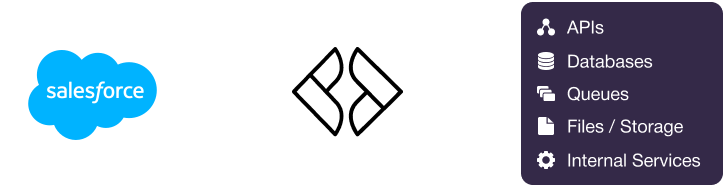
Salesforce Marketing Cloud, also documented as Marketing Cloud Engagement, supports OAuth 2.0 through Installed Packages, REST APIs for Data Extensions, journeys, assets, messaging, and selected tracking operations, and SOAP APIs for broader PartnerAPI object coverage. Selected event notifications and transactional callbacks support event-driven designs, while Automation Studio, Enhanced FTP, imports, exports, and SQL Query Activities support batch exchange. Martini can consume these APIs, process supported notifications, retrieve and exchange files, orchestrate scheduled or event-driven workflows, and map Marketing Cloud data to enterprise applications while handling business-unit routing, pagination, throttling, retries, and idempotency.
Common Salesforce Marketing Cloud integration patterns
Common Salesforce Marketing Cloud data objects used in integrations
Authentication and security considerations
OAuth 2.0 and Installed Packages
Salesforce Marketing Cloud uses OAuth 2.0 through Installed Packages. Server-to-server integrations commonly use client credentials, while authorization code flows may apply when an integration acts on behalf of a user.
Scoped access
Configure only the required permissions for Email, Data Extensions, Journeys, Audiences, Assets, Automations, or Tracking. Business-unit access and the returned REST and SOAP instance URLs must be handled explicitly.
Martini security
- Store client IDs, client secrets, tokens, endpoints, and business-unit configuration in Martini environment configuration or secrets.
- Do not embed credentials in workflow payloads or source code.
- Limit logs containing access tokens, subscriber personal data, and message content.
- Use controlled API authentication and authorization for Martini endpoints that receive business events.
Operational considerations for Salesforce Marketing Cloud integrations
Throttling and pagination
Account, tenant, endpoint, and product-specific limits may apply. Handle HTTP 429 and transient 5xx responses with bounded backoff, and persist REST pagination or SOAP continuation state until the complete result is processed.
Business-unit routing
Use the instance URLs and identifiers returned during authentication rather than assuming a global endpoint. Confirm that Installed Package scopes and business-unit access match each workflow.
Idempotency and consent
Use stable source keys, Subscriber Keys, Contact Keys, event identifiers, send identifiers, and file markers. Treat global unsubscribe and publication-list preferences separately, and ensure retries cannot reactivate an opted-out subscriber.
Files and schema changes
Define file naming, encryption, retention, completion, archive, and duplicate rules. Coordinate Data Extension field, type, length, primary-key, and required-field changes with Martini mappings and test them in a non-production business unit.
Observability
Capture status, Salesforce error codes, request identifiers, business-unit context, watermarks, and safe payload references. Separate retryable transport errors from authorization, validation, and business-rule failures.
Why use Martini instead of scripts or point-to-point integrations?
Orchestration across systems
Martini coordinates Salesforce Marketing Cloud REST and SOAP calls, event notifications, files, schedules, databases, and other enterprise endpoints in a single workflow rather than duplicating logic across point-to-point scripts.
Reusable integration logic
Mappings, validation, consent rules, pagination, throttling, idempotency, and retry behavior can be implemented as maintainable integration assets and reused across business units and applications.
Controlled APIs and transformations
Martini can expose a governed API façade, consume vendor APIs, transform XML, JSON, and file data, and apply canonical models without forcing every consumer to understand Marketing Cloud-specific objects.
Operational reliability
Workflows provide structured error handling, checkpoints, replay paths, and monitoring for batch and event-driven processing. This is more maintainable than unmanaged scripts or tightly coupled integrations.