
.png)
Workflow automation
Build integrations, automations, and business processes visually with Martini Workflows. Use a drag-and-drop designer to connect systems, transform data, call services, handle errors, and control process logic from one place.
Workflows make complex backend processes easier to understand, debug, and maintain while still giving developers the control they need.


Visual workflow designer
Design backend processes visually using Martini’s workflow designer. Add nodes, connect steps, configure logic, and build readable workflows that show how data moves through each process.
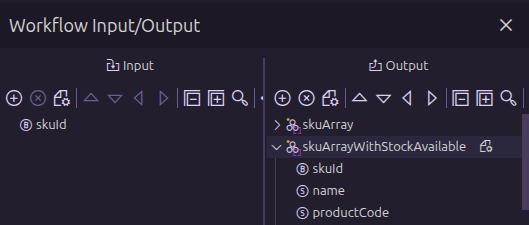
Inputs and outputs
Define the data a workflow receives and returns. Inputs and outputs make workflows easier to reuse, test, document, and invoke from other parts of Martini.
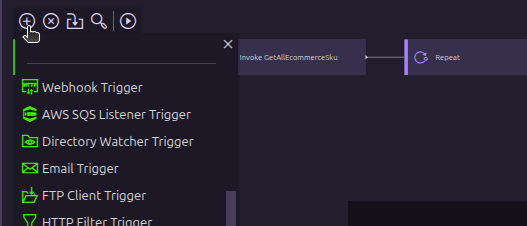
Trigger nodes
Start workflows from events, schedules, messages, webhooks, and other supported triggers. Trigger nodes make it easy to automate processes when something happens.

Workflow nodes
Build workflow logic using nodes for routing, transformation, execution, error handling, waiting, looping, and more. Each node performs a specific task inside the workflow.

Invoke services, functions, and workflows
Call generated services, built-in functions, custom functions, or other workflows from inside a workflow. Reuse existing logic instead of rebuilding the same steps again.

Map nodes and set expressions
Transform data as it moves through a workflow. Use map nodes and set expressions to assign values, reshape payloads, and prepare data for APIs, files, databases, and services.

Database nodes
Interact with databases directly from a workflow. Use database nodes to query, insert, update, or process data as part of a larger automation.
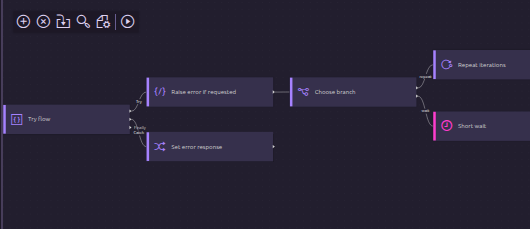
Fork, repeat, wait, and try/catch nodes
Control how a workflow behaves with nodes for branching, looping, waiting, and error handling. Build processes that can react to different conditions and recover when something fails.
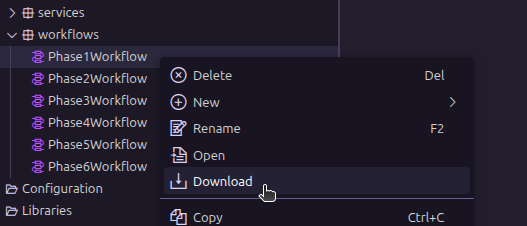
Import/export workflows
Move workflows between environments, teams, and projects. Import and export workflows to share work, back up assets, or promote changes through a development lifecycle.

Debugging and workflow logs
Test and troubleshoot workflows with debugging tools and workflow logs. Inspect execution paths, review data, and identify where a process needs to be adjusted.
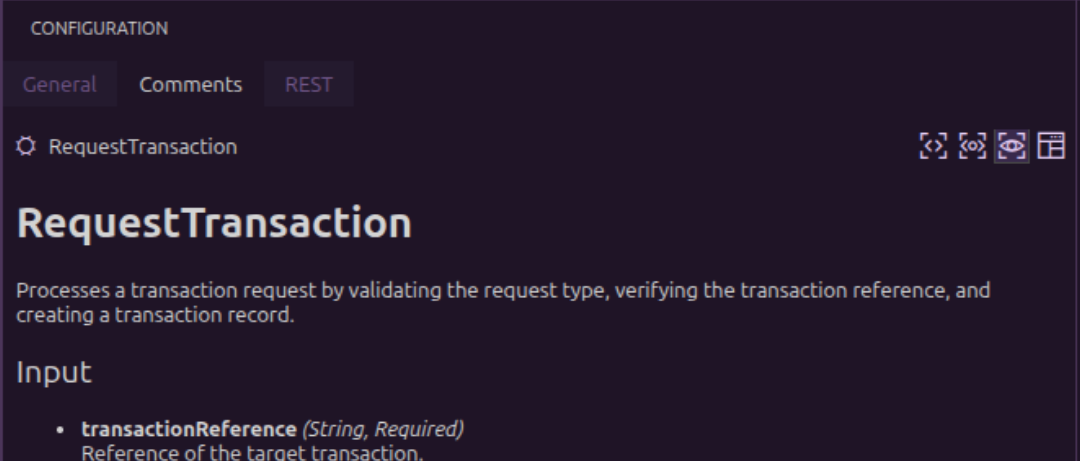
Workflow documentation
Document workflows so developers and teams can understand what each process does. Keep implementation details close to the workflow itself.

Workflow dependencies and versioning
Manage workflow changes with dependency and versioning support. Track how workflows relate to other Martini assets and maintain control as processes evolve.