
.png)
Application development
Build custom enterprise applications, dashboards, and reports with Bellini. Create pages, design interfaces, connect to APIs, configure application behavior, and manage the assets your application needs.
Bellini gives developers a visual application development environment for building business applications that are powered by APIs, data, and reusable components.


Custom enterprise applications
Create applications for the business processes your organization needs to support. Build interfaces for internal systems, operational workflows, customer portals, admin tools, and other enterprise use cases.

Dashboards and reports
Build dashboards and reports that bring data together in one place. Use Bellini to create interactive views that help users monitor activity, explore information, and make decisions.

Page editor
Design application pages in Bellini’s page editor. Build the structure of each page, configure its behavior, and connect it to the APIs, services, functions, and data it needs.
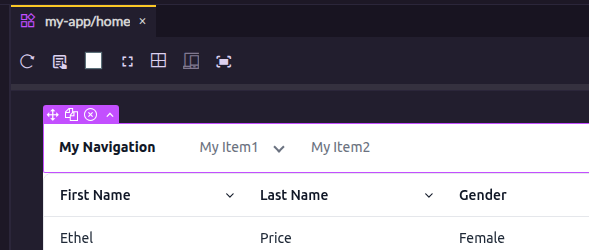
Canvas
Use the canvas to visually design each page. Place components, arrange layouts, preview structure, and shape the user experience as you build.

Elements tree
Navigate the structure of a page using the elements tree. See how components, layouts, and HTML elements are organized, then select and configure the exact element you want to work with.
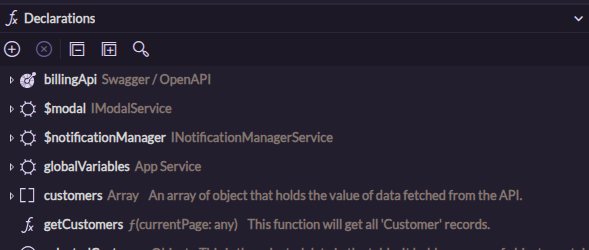
Declarations
Manage the properties, functions, services, and APIs used by a page. Declarations make the logic and data dependencies behind each page easier to understand and maintain.
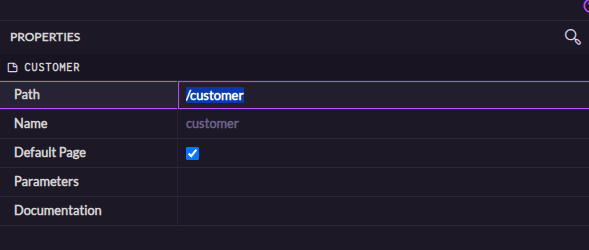
Page routes
Configure the path where each page is available. Use page routes to define how users move through the application and how each screen is accessed.

Page parameters
Pass values into pages using parameters. Use page parameters to create dynamic screens that respond to the current user, selected record, route, or context.

Application configuration
Configure application settings such as authentication, environments, themes, mobile options, source control, and advanced behavior from one place.

Application services
Create and use application services to share reusable logic across an application. Use services for functions and properties that need to be available to multiple pages or components.

Application assets
Manage the assets used by an application, including scripts, stylesheets, images, and other files. Keep application resources organized and available where they are needed.