
.png)
Custom components
Create reusable components for your Bellini applications. Build components with their own UI, properties, functions, events, APIs, scripts, stylesheets, and assets, then use them across pages and applications.
Custom components help developers standardize user interface patterns, reuse application logic, and extend Bellini beyond the built-in component library.

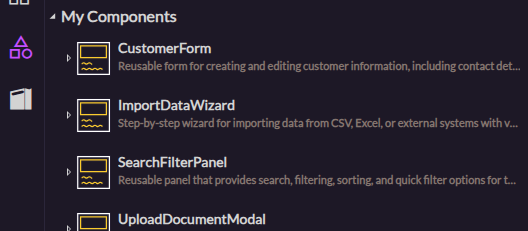
Global components
Create global components that can be reused across applications. Use them for shared UI patterns, common business controls, reusable widgets, or components your team wants to standardize.

App components
Create components that belong to a specific application. Use app components when the component is only needed inside one application or is tightly connected to that application’s data and behavior.

Component editor
Design custom components in Bellini’s component editor. Use the canvas, elements tree, and declarations to build the component structure, configure logic, and manage the resources it depends on.

Custom component properties
Define properties that control how a component behaves. Use custom properties to make components flexible, configurable, and easier to reuse in different contexts.

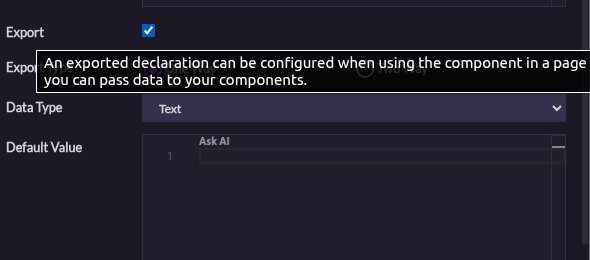
Exported properties
Expose selected properties so they can be configured wherever the component is used. Exported properties let developers bind values, pass data, and customize component behavior from the parent page or component.
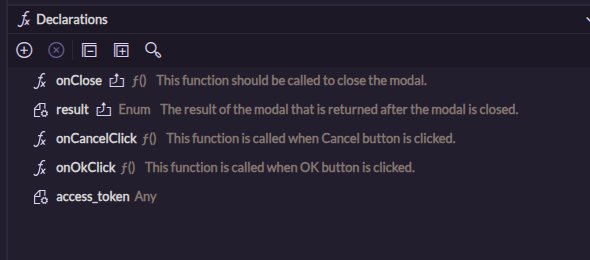
Component functions
Add functions to a component to define custom behavior. Use functions to handle interactions, transform data, call services, or control how the component responds to user actions.
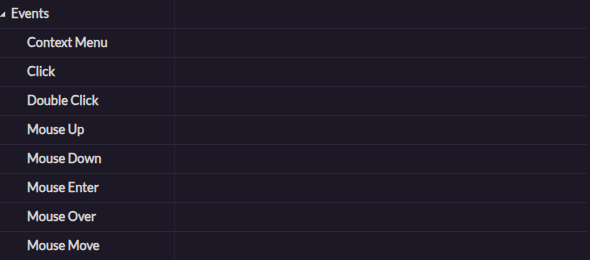
Component events
Use component events to communicate when something happens. Trigger behavior in a parent page or component when a user clicks, selects, submits, changes a value, or performs another action.
Passing data to and from components
Pass data into components through properties and send data back through events, bindings, or functions. Build components that can work cleanly with the rest of the application.
Documenting components
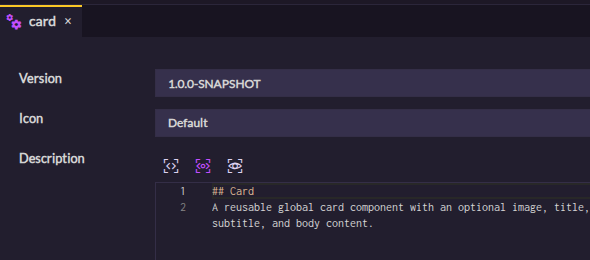
Document how custom components should be used. Explain their properties, expected data, events, and behavior so other developers can reuse them with confidence.